

Hexbuilder: Devlog #1
If you haven’t read devlog #0, I would strongly recommend reading that first so this post makes sense!
Screenshots
Section titled “Screenshots”Finding some direction
Section titled “Finding some direction”Since my last post, I have made some pretty big steps forward in determining player motivations in Hexbuilder. I had a very helpful conversation with my sister (thanks Beth, if you’re reading!), and as a result decided that since cities are made of people, my city builder needed more emphasis on its residents. Before, I had people set up as one of the resources/currencies that could be produced and spent by buildings, and since then I’ve completely removed that, and now individual residents are individual entities.
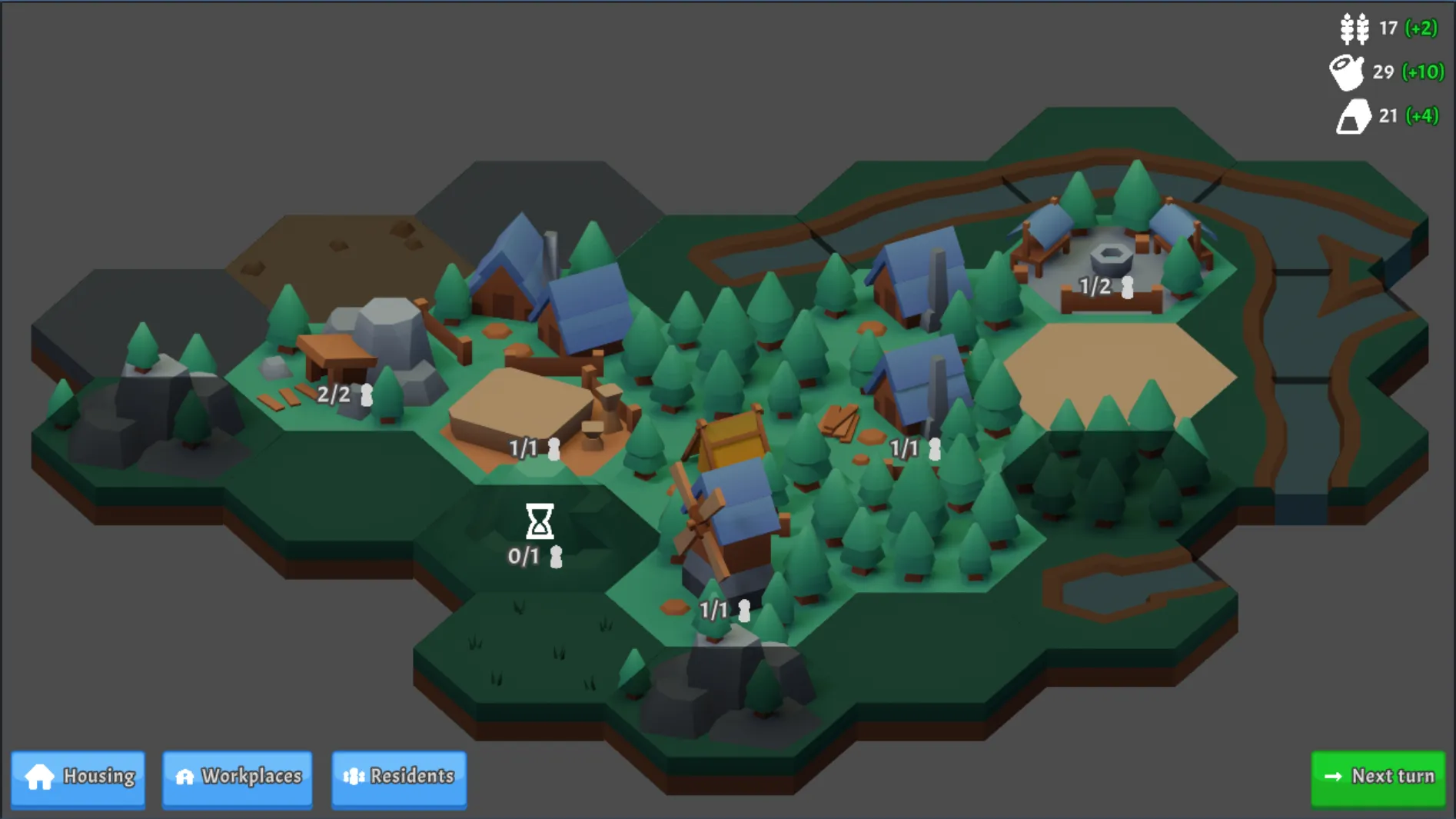
Now, I have a set of manager classes that handle residents and what they each do. Residents are created and assigned to housing and workplaces by the relevant manager class, and the presence of residents directly determines workplace production at the end of a turn. Currently, workplaces must have at least one worker assigned to them, though I’m considering revisiting that later - for now, if a workplace has no workers then I’ve added a little ”!” over the workplace’s info UI. Also, adding more workers doesn’t do anything yet, but that definitely will change in future.
Timed Jobs
Section titled “Timed Jobs”I also created a manager class for what I’m calling “timed jobs” - something that means a resident can’t be working anywhere else that turn, but only exists for a set number of turns and frees up the residents afterwards automatically. Currently, the only timed job is the process of unlocking a new tile, but I could see this expanding to cover things like foraging on a tile or repairing a building. One thing I don’t love is how similar a lot of the code is between the WorkplaceManager and TimedJobManager, but I’m not going to refactor thise to make a shared base class unless I work on something else that needs it - there’s enough to do elsewhere!
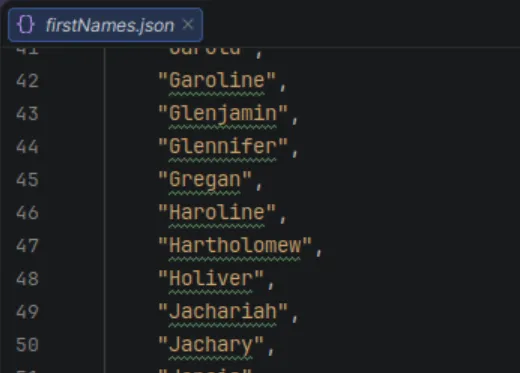
One last thing I did was to give the residents silly names, randomly picked from a list that I wrote one evening. This was partly so each resident was easier to keep track of when debugging, partly because I was procrastinating, and partly because making up silly names is extremely fun and surprisingly hard to stop once you’ve started!
UI improvements
Section titled “UI improvements”One part of building out all of the above was adding in a few info screens. These did double duty first as helpful debug tools for myself, but also will serve as a way to get information to the player.
The UI is still very much placeholder-filled, but I brought in a free theme to make everything a bit easier to read and navigate: Clashy, by Wadlo.
I also set up a way to add UI to show about cells over the top of those cells, and added those for about workplaces and timed jobs.
What else did I do?
Section titled “What else did I do?”- Set up better resource production values for the buildings that I’ve been testing with.
- Added an event dispatcher class that I had from another project, allowing me to dispatch and listen to events.
- Set up keyboard shortcuts for accepting options in specific popups and closing popups.
- Added a common base class to popup classes to handle the above in one common location.
- Refactoring lots of things, notably the cell unlocking to allow cell unlocking via timed jobs (as mentioned above).
- Made some usability improvements to the tiles tool, mainly alphabetising building names in the places they’re listed.
- Had a couple of tries at fixing a confusing null ref that’s appearing in the tiles tool code after Godot rebuilds the project. I haven’t yet gotten rid of it fully because I’m not sure what’s happening, it’s something to do with the data associated with a graph node being re-assigned after build. But I think I did at least reduce the frequency that it appears, so depending on how annoying the effects of this error are, I might leave it as-is.
- And as a little bonus to myself, I tweaked the locked tile overlay to remove the irritating gaps that showed when the texture was tiled.
Next steps
Section titled “Next steps”- I need to upgrade the unlocked cell popup to be more specialised and show more info for workplaces and buildings. I also want to show the effects that a building has on surrounding tiles, and to do that I’ll need to center the building in the screen while this popup is open.
- I want to separate out the concept of terrain from the concept of buildings. I partly set it up like this for simplicity, because all the models have terrain embedded in them, but I think I need to separate them in order to have more flexibility when it comes to building out the building tech trees.
- Talking of which, I want to add more to the upgrade paths for some of the buildings, and visualise that somewhere in the UI. I think I might also need to add a tool for this, though I may be able to deal with things as they are.