

Hexbuilder: Devlog #4
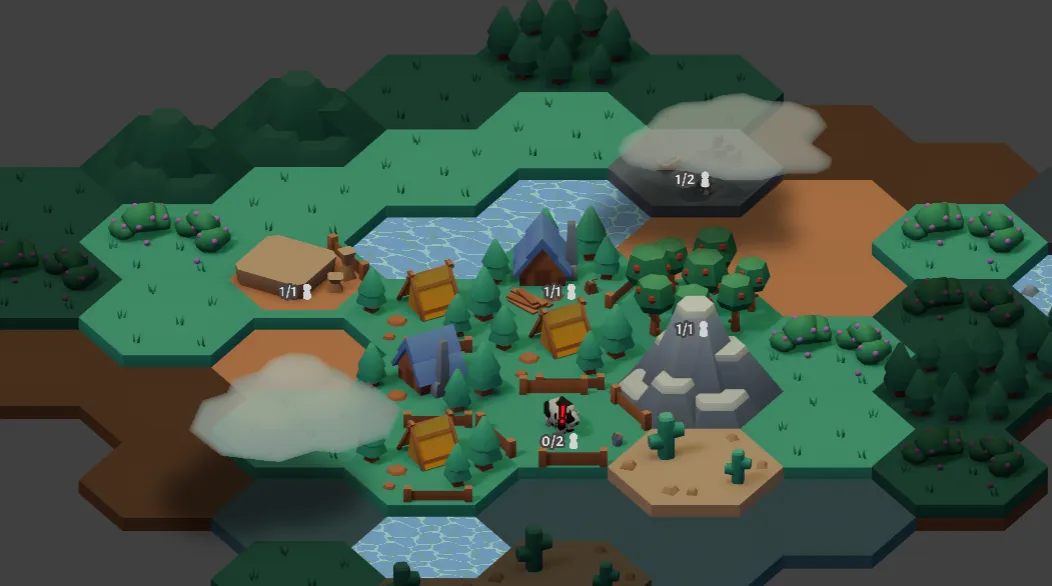
Catch up on the Hexbuilder progress starting here!
Dealing with frustration
Section titled “Dealing with frustration”This month, I had my first experience of feeling really discouraged with Hexbuilder. I spent about two or three days feeling like even though I’d been working really hard and making lots of changes, the end goal of a fun game felt no closer than it had in 2025. It was a really disheartening feeling! I suspect it was worsened by me being in the middle of a particularly long, boring and difficult task, and encountering the most frustrating bug I’ve met in Hexbuilder thus far.
I also think my mood was further worsened because I wasn’t completely wrong: I still have a LOT to do with Hexbuilder before it’ll be close to where I want it to be, and at the time I was struggling a lot to figure out what I was even aiming for, let alone how to get there.
That said, I think a lot of it was due to me not making a blog post for a bit!! When I started writing these, I knew it would be a valuable record for me but I don’t think I understood HOW helpful it would be to have a series of checkpoints to look back on. The first thing I do when writing a dev log is to look through all the commit messages I wrote since the last post, and this time I was genuinely astonished at how many things I’ve done since log #3. I’ll do my best to keep things brief, but this might be a long one!
What I was aiming for last time
Section titled “What I was aiming for last time”In my last post, this was the “what’s next?” section:
- Making the map more dynamic by adding map interactions, e.g. clearing forest tiles, growing grass
- Adding more buildings
- Adding more resident needs and building adjacency effects
- Solidifying the order in which different resources show up in early game
- Adding adjacency requirements to new buildings, e.g. ensuring a smelter must be built next to a mine
Though I did make progress on all of the above, the biggest things that happened aren’t mentioned here at all! If you want to skip right to the big changes, feel free; if not, let me update you on the above list first…
Map interactions, aka timed tasks
Section titled “Map interactions, aka timed tasks”This was a big chunk of work that’s allowed me to introduce a kind of temporary job system for residents. Timed tasks are a set of actions on each tile (using the tile data component system I added last time!), where each action is either player-initiated or can be automatically started. Each action has:
- a turn duration
- a set of start conditions
- a set of actions to perform when the task is complete
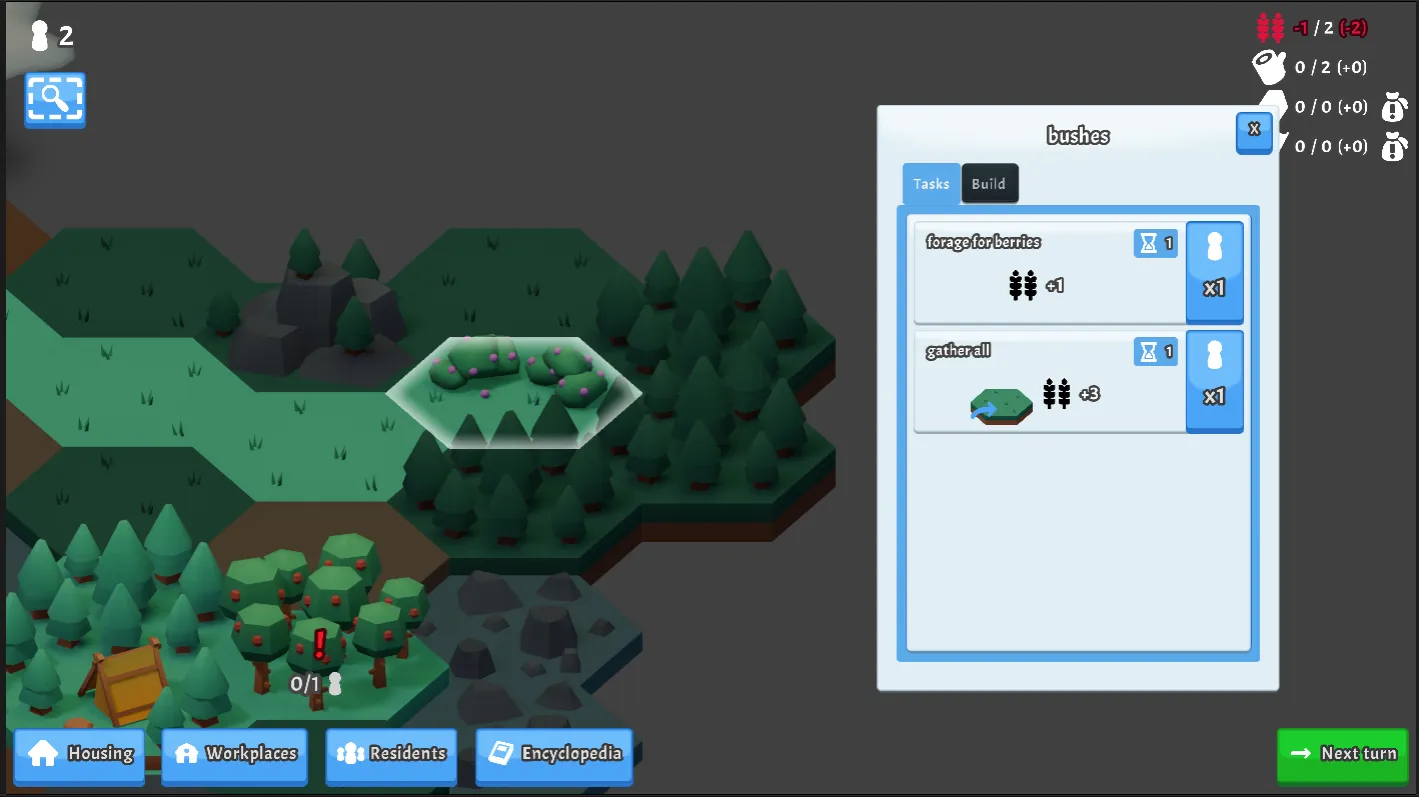
For example, you can now gather wood from the new berry bush tile: this requires 1 worker and takes 1 turn to complete. There aren’t any start conditions, and when it’s done, you gain 2 food. You can also clear the bushes and turn it into a grass tile, which is the same except you get 3 food and the tile becomes a grass tile instead.

I’ve also added a timed task to every building that returns the tile to its generated state - i.e. buildings can now be removed!
This system was already sort of a thing with cell unlocking, but I actually built this system separately and refactored cell unlocking to use this system instead. In the process I also modified cell unlocking to depend on the kind of tile - mountains, hills and water tiles now take longer to unlock than others.
New buildings & upgrade mechanics
Section titled “New buildings & upgrade mechanics”One element of timed tasks is the ability to begin tasks automatically. This is used in the new cow upgrade path: some of the stages will begin upgrading to the next level automatically, if the right conditions are met!
Another new mechanic is an adjacency requirement - as you can see in from the upgrade UI, the level 2 cow upgrade will only begin the auto-upgrade to level 3 if there’s another cow beside it.
I mostly put this upgrade path in because both my partner got extremely excited at the prospect of baby animals in the game haha. Quick shout out to my sister who very much helped with making sure the baby cows were sufficiently cute!
More needs
Section titled “More needs”Keeping things brief, here’s a short overview of new resident needs and related changes:
- Residents’ happiness is now decreased a little bit if they live with a resident who has minimum happiness
- If a worker at a fully-staffed workplace is at minimum happiness, the max worker production bonus doesn’t apply.
- After a resident has lived in a hut (the second resident level, up from a tent), they will eventually get dissatisfied with living in a hut and want a better residence.
Building progression planning
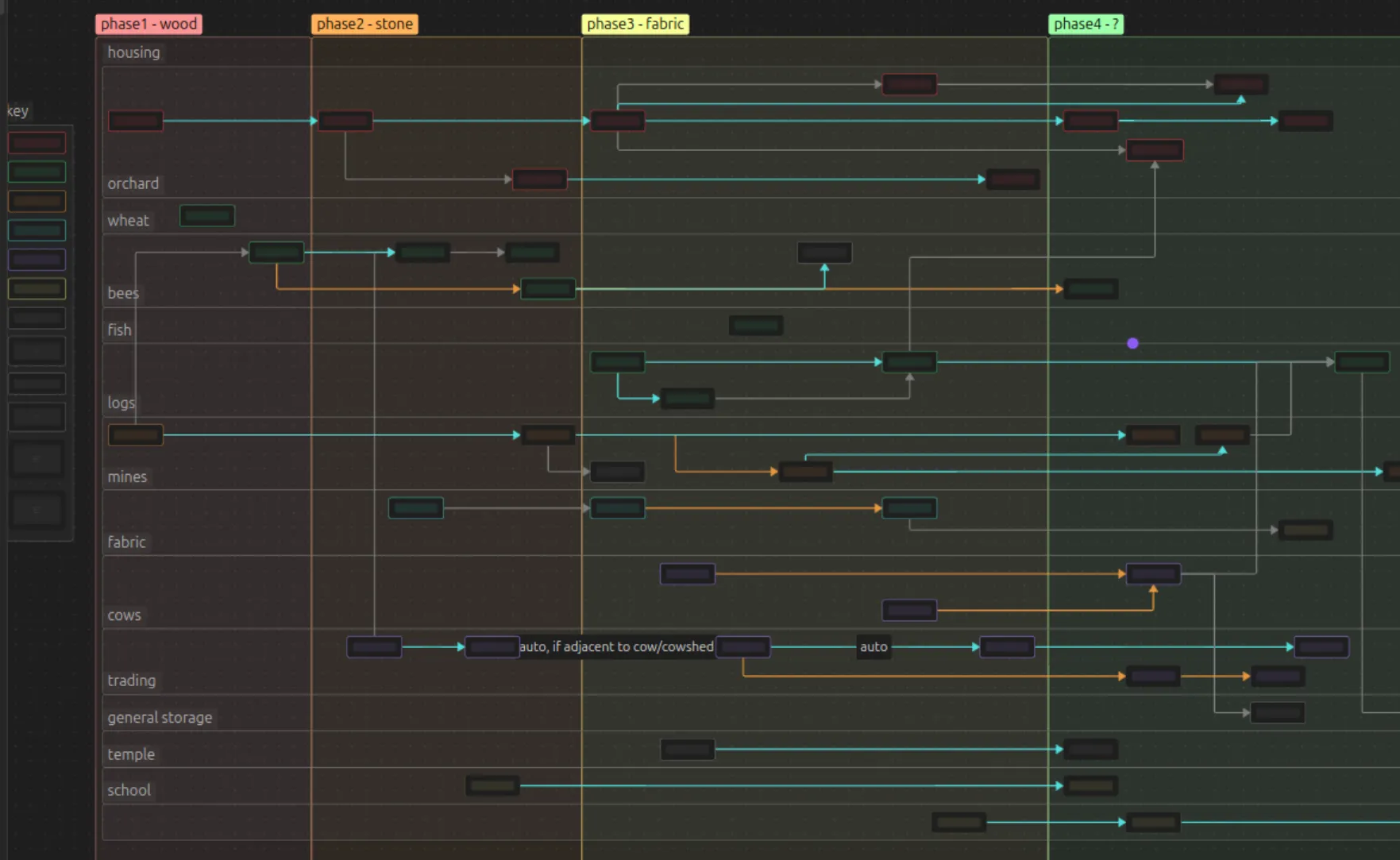
Section titled “Building progression planning”I spent a lot of time thinking about building upgrade paths and planning out a first draft of the approximate order that everything should unlock. This is a very zoomed-out screenshot of the plan as it is now - though I’m 100% sure it will be changing dramatically over the next few weeks.
Big infrastructure changes
Section titled “Big infrastructure changes”Android build
Section titled “Android build”I managed to get a build of Hexbuilder running on my phone! This was pretty time-consuming to get sorted, and I ran into a few confusing errors on the way. But thankfully nothing took too long to resolve, and I managed to set up wireless debugging with Godot as well: so I now have a dev build available for device testing whenever I like!
After I got it onto my device, I did have to rectify a few things: a lot of scrollers in the UI didn’t play well with touch controls, mostly ones that had buttons covering most of the scrollable area. Those were resolved by allowing the buttons’ inputs to pass through to the scroller. I also had to modify the camera zoom code - it’s not perfect currently, but at least it does now work!
Having Hexbuilder on my phone will let me see how it feels to play it casually while I’m on the bus or the tube. This will be a very important perspective, because I have a tendency when developing to purely play to test my changes: not at all useful for figuring out if the game is fun!
Saving and loading!
Section titled “Saving and loading!”I’ve really buried the lede here: this is BY FAR the biggest task I’ve done on Hexbuilder so far. We now have a functional save and load system! Up until now, every session had to start afresh, but no longer!
I began by actually looking at another project entirely (I’ll touch on this project below), which had a state machine shell in it that I’d recycled from an old prototype. That project is currently a much simpler one in terms of scope, so I sort of did a test run and implemented saving and loading in it. It was kind of a pain, but I quickly learned some of the quirks of Godot’s systems and got that done in about 2 days.
I then stripped out the shell state machine into a totally separate project, to isolate the shell from any other game code. Once that was done to my satisfaction, I refactored the existing states until I could cycle through loading, unloading and reloading an empty game. Then I copied the shell into Hexbuilder.
Of course, despite it being isolated from the other project, there was a lot still to adapt to make Hexbuilder work within it. I built a loading screen and save select menu, and then, manager-by-manager, I began converting each area of the game to correctly save and load the relevant data.
It started out well enough: the inventory manager was the first to convert, and that went great. But somewhere between the resident manager, the workplace manager, and the housing manager, I began encountering a genuinely baffling issue. The error seemed to crop up inconsistently, making it hard to understand what was happening, and the error messages were some of the most obscure and unhelpful that I’ve ever encountered. There were a few different error messages as well, which meant I got increasingly confused as I wasn’t sure if I was solving one error and another one was appearing, or if they were all symptoms of the same thing.
In retrospect, I’m reasonably certain they were all symptoms of the same thing. I don’t know for sure - I made a lot of attempts at fixing it, so I may actually have fixed some other issues along the way! But I am about 95% certain that it is now fixed. I believe the issue was a race condition, something like this:
- Resource A begins loading asynchronously, begins loading its first dependency, Resource C
- Resource B begins loading asynchronously, begins loading its first dependency, Resource D
- Resource A finishes loading Resource C, and starts loading its next dependency, Resource E
- Resource B finishes loading Resource D, starts loading its dependency, which is also Resource E
- Something in Godot’s resource loading code doesn’t deal with this very well, and it falls over
I’m not 100% sure on this, and the many, many forums threads I read in my attempts to find a solution never really mentioned anything like this. But as I was trying to add what felt like my 50th round of logging to find the issue, I happened to glance at a line of code that I’d written years ago in the original version of the shell:
ResourceLoader.LoadThreadedRequest(saveContainerFileToLoad, useSubThreads:true, cacheMode: ResourceLoader.CacheMode.Ignore);The inconsistent nature of the error(s) had meant I was already suspecting a race condition, and when I saw useSubThreads:true, I suddenly though that maybe that was the issue: my save file is split into multiple other save files, one for residents, one for workplaces, one for the map, etc. If these were loading simultaneously and if some of those needed to load the same dependency at a similar time, Godot might not handle that perfectly.
Just to see, I removed that flag so that line now reads:
ResourceLoader.LoadThreadedRequest(saveContainerFileToLoad, cacheMode: ResourceLoader.CacheMode.Ignore);And…well, I haven’t had any saving or loading errors since. So I think I’ve fixed it!
Big conversations
Section titled “Big conversations”I’d like to shout out a good friend of mine here - I haven’t asked him if he wants to be named, so for the sake of getting this blog post out I’ll leave it anonymous for now. My friend is an experienced game designer, and he was kind enough to spend an hour talking to me about Hexbuilder and give me some advice.
I walked into our conversation feeling directionless and lost, like I had made something kinda cool and decently functional, but I had no idea how to…well, how to make it a game: how to make it fun or interesting, how to build progression, how to decide on goals, or evaluate a new feature, or anything. I walked away from our conversation without a lot of answers, BUT with something much more important: I now know what I’m trying to answer. And that’s what I really needed - so thank you so much, if you’re reading :)
So there’s no “what’s next” section on this post, because I actually don’t know! My big task will be deciding what I want the player to want. As my friend put it: when the player opens the game for the first time, they need to think “I want X because Y”. And each time they open the game, they should be thinking that on a short-term level as well - “in this play session, I want X because Y”.
I need to figure out my Xs and Ys for these statements - I’m certain that establishing this will start solving all the other problems I’m having with the game design of Hexbuilder. I have a lot of ideas, but none are concrete enough for me to write them down here - watch this space…
Bonus round
Section titled “Bonus round”In amongst all of that, I also somehow found time to run a couple of experiments! The first one, adding a clouds particle effect, went so well I just added into the game then and there.
The second was much more theoretical. All of the tile textures are renders of 3D models, and I wanted to see what it might look like if the buildings were 3D instead of the current 2D tiles. Here’s what a day-night cycle might look like if I decide to go this way:

To be clear: I’m not tied to this, and this may never make it into the game. But it was certainly fun to experiment, and there is some potential here that I may or may not pursue further down the line…
Side project
Section titled “Side project”And finally: as previously mentioned, I also found time to implement the saving and loading on another project entirely. I actually managed to build that whole prototype! But no spoilers here - I reached out to a good friend of mine to see if they’d be interested in pursuing this further, and it looks like that might happen. But as it’s not just me, I’ll keep a little quieter on that front for now. Just wanted to drop this little teaser in case anyone’s reading!